Meta Description:
Learn how to create content with AI using ChatGPT, Canva AI, and Meta AI. Save time, create faster, and scale your content workflow in 2026.
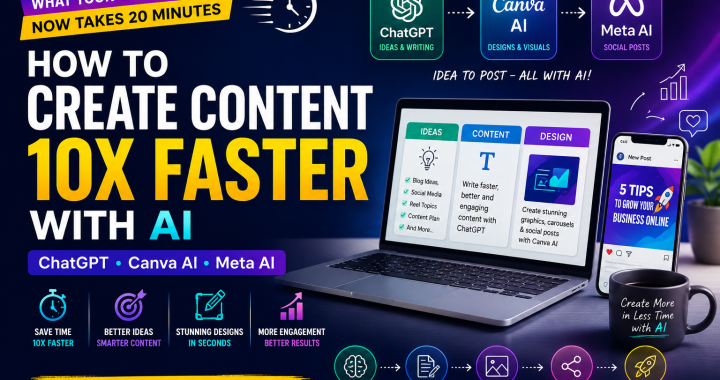
“What took 4 hours now takes 20 minutes with AI.”
Creating content consistently can feel like a full-time job. You need ideas, captions, blogs, graphics, social media posts, and sometimes videos. For content creators, marketers, and agencies, the biggest challenge isn’t always creativity—it’s time.
The good news? AI can dramatically speed up your content workflow.
With tools such as ChatGPT, Canva AI, and Meta AI, you can brainstorm ideas, write content, design visuals, and prepare social posts much faster.
This guide explains how to create content with AI using a simple step-by-step workflow that you can start using today.
Whether you’re a freelancer managing multiple clients or a creator trying to post consistently, this ai content creation 2026 workflow can help you produce more content without working longer hours.
Content Workflow With AI
Before opening any AI tool, understand the complete workflow:
Idea → Writing → Design → Social Post → Review → Publish
Instead of doing every step manually, you can assign different tasks to different AI tools.
The AI Content Creation Workflow
ChatGPT: Ideas + outlines + writing
↓
Canva AI: Graphics + visual content
↓
Meta AI: Social captions + post variations
↓
Human Review: Fact-check + brand voice + final edits
↓
Publish: Social media, blog, newsletter, etc.
The goal isn’t to let AI do everything. The goal is to let AI handle repetitive work while you focus on strategy and creativity.
Step 1: Generate Content Ideas With ChatGPT
The first step in create content with AI is finding good ideas.
Instead of staring at a blank document for 30 minutes, ask ChatGPT to generate ideas based on your audience, industry, and goals.
Prompt Example: Content Ideas
Try this prompt:
“I am a digital marketing agency targeting small business owners. Give me 30 social media content ideas for Instagram. Divide them into educational, promotional, engagement, and entertaining posts. Keep each idea practical and easy to create.”
ChatGPT can quickly give you a list of topics that you can turn into posts, reels, carousels, blogs, or emails.
Make Ideas More Specific
Don’t just ask for “content ideas.”
Give AI context such as:
- Your industry
- Target audience
- Platform
- Content goal
- Brand personality
- Product or service
- Customer problems
The more useful information you provide, the more relevant the output becomes.
Step 2: Write Content With ChatGPT
Once you have your ideas, use ChatGPT to turn them into actual content.
For example, suppose your topic is:
“5 SEO mistakes small businesses should avoid.”
You can ask ChatGPT to create:
- Instagram carousel text
- Caption
- Blog outline
- LinkedIn post
- Reel script
- Email newsletter
Prompt Example: Social Media Post
“Write an Instagram carousel about 5 common SEO mistakes made by small businesses. Create 7 slides. Use simple English, short sentences, and a strong hook on slide 1. End with a CTA.”
Prompt Example: Reel Script
“Turn this topic into a 30-second Instagram Reel script. Start with a strong hook, explain three points quickly, and finish with a clear CTA. Keep the language conversational.”
This is one of the biggest advantages of chatgpt canva ai meta ai workflows: one idea can become multiple pieces of content.
Don’t Publish AI Output Without Editing
AI-generated content is a starting point—not always the final product.
Before publishing, check:
- Facts
- Grammar
- Brand voice
- Examples
- Statistics
- Repetition
- Calls to action
Add your own experience and opinions to make the content more authentic.
Step 3: Create Designs With Canva AI
Good content needs good visuals.
Canva AI can help you create designs faster instead of building every graphic from scratch.
You can use Canva’s AI-powered features to help create:
- Instagram posts
- Carousels
- Presentations
- Posters
- Ad creatives
- Social media graphics
- Marketing materials
Prompt Example for Canva AI
Try a description such as:
“Create a modern Instagram carousel for a digital marketing agency about 5 SEO mistakes small businesses should avoid. Use a clean professional business style with large headings and minimal text.”
You can then adjust the design manually.
Keep Your Brand Consistent
AI can create designs quickly, but your brand identity should remain consistent.
Use the same:
- Logo
- Fonts
- Brand colors
- Design style
- Image style
- CTA format
This makes AI-generated content look like it belongs to your business rather than looking random.
Step 4: Create Social Posts With Meta AI
Once your content and graphics are ready, Meta AI can help you adapt your ideas for social media.
You can use AI assistance to brainstorm captions, rewrite posts, generate variations, and develop content ideas for social platforms.
Prompt Example
“Create 5 Instagram caption variations for a digital marketing post about SEO mistakes. Make one educational, one funny, one professional, one short, and one curiosity-driven. Add a simple CTA to each.”
Instead of creating one caption and publishing it everywhere, create different versions for different audiences and platforms.
This makes your chatgpt canva ai meta ai workflow more flexible.
Prompt Examples for Faster AI Content Creation
Here are several prompts you can save and reuse.
Blog Prompt
“Create a 1,000-word SEO blog outline about [TOPIC]. Include H2 and H3 headings, FAQs, examples, keywords, and a conclusion.”
Caption Prompt
“Write 5 social media captions about [TOPIC]. Keep them concise, engaging, and suitable for [PLATFORM].”
Content Repurposing Prompt
“Turn this blog into 5 Instagram posts, 3 Reel ideas, 2 LinkedIn posts, and 1 email newsletter.”
Content Calendar Prompt
“Create a 30-day content calendar for a [BUSINESS TYPE]. Include topic, content format, hook, CTA, and platform.”
Hook Prompt
“Give me 20 attention-grabbing hooks for a post about [TOPIC]. Keep them short and curiosity-driven.”
Time Saved Calculation
Let’s compare a traditional workflow with an AI-assisted workflow.
Imagine you need to create 10 social media posts.
Traditional Workflow
Research and ideas: 2 hours
Writing: 3 hours
Design: 4 hours
Captions and editing: 2 hours
Total: 11 hours
AI-Assisted Workflow
Ideas with ChatGPT: 30 minutes
Writing with ChatGPT: 1 hour
Design with Canva AI: 1.5 hours
Social posts with Meta AI: 30 minutes
Human review: 1 hour
Total: 4.5 hours
That’s approximately 6.5 hours saved.
Your exact results will vary depending on your content type, quality standards, and editing process, but the principle is simple: AI can reduce repetitive production time significantly.
This is why ai content creation 2026 is becoming increasingly useful for busy marketers and agencies.
Real Example: Agency Made 30 Posts in 1 Day Using This Workflow
Imagine a digital marketing agency managing content for several clients.
Instead of creating each post from zero, the agency could build a batch workflow:
Morning: Generate 30 ideas with ChatGPT.
Late morning: Turn the best ideas into captions, carousel copy, and Reel scripts.
Afternoon: Create reusable designs in Canva AI.
Late afternoon: Use Meta AI to create caption variations and social copy.
Final step: Human review, branding, fact-checking, and scheduling.
Using this workflow, an agency made 30 posts in 1 day using this workflow.
The important lesson isn’t simply “AI is fast.”
It’s that batching + reusable prompts + templates + AI tools can dramatically improve content production.
Mistakes to Avoid
AI can save time, but using it incorrectly can create new problems.
1. Using Generic Prompts
“Write an Instagram post about marketing” is too broad.
Give AI your audience, topic, platform, tone, length, and goal.
2. Publishing Everything AI Generates
Always review AI output.
AI can produce incorrect facts, repetitive language, or content that doesn’t sound like your brand.
3. Ignoring Your Brand Voice
Don’t allow every post to sound identical.
Add personal stories, opinions, examples, customer experiences, and industry knowledge.
4. Creating Quantity Without Quality
The goal isn’t to publish 100 useless posts.
The goal is to produce better content faster.
5. Using Too Many Tools
You don’t need 20 AI platforms.
Start with a simple system using ChatGPT, Canva AI, and Meta AI, then expand only when you identify a genuine need.
Why This Workflow Matters in 2026
The future of create content with AI isn’t about replacing creative professionals.
It’s about giving creators more time to focus on strategy.
A marketer can spend less time writing repetitive captions and more time studying customers.
An agency can reduce production time and spend more time on client strategy.
A creator can turn one idea into multiple pieces of content without starting from zero every time.
That is the real value of ai content creation 2026.
Conclusion
Creating consistent content doesn’t have to consume your entire day.
With a smart workflow, ChatGPT can help you generate ideas and write content, Canva AI can speed up design production, and Meta AI can help adapt content for social media.
The chatgpt canva ai meta ai workflow works best when you combine AI speed with human creativity and judgment.
Start with one piece of content.
Generate the idea.
Write it with AI.
Design it with Canva.
Adapt it for social media.
Then review and publish.
Once you understand the process, you can repeat it and scale your content production.
Want to create content faster?
Comment “SPEED” and I’ll send you 20 AI prompts for content.