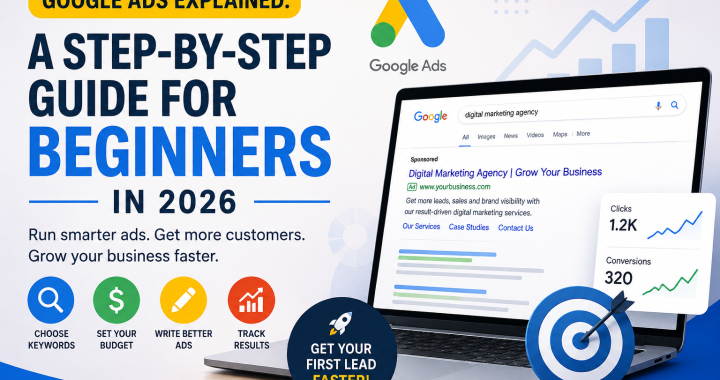
Meta Description: Learn Google Ads for beginners in 2026 with this simple PPC guide. Discover how ads work, choose keywords, set budgets, write ads, and track results.
If you want customers today, not 6 months later, read this
If you want customers today, not 6 months later, read this.
Many business owners hear Google Ads and immediately think, “It’s too complicated,” “I’ll waste my money,” or “I need to be a marketing expert.”
The good news? You don’t.
Google Ads can help your business appear in front of people who are already searching for the products or services you offer. Instead of waiting months for SEO traffic, paid advertising can help you reach potential customers much faster.
This google ads for beginners guide explains everything in simple language. No confusing technical terms. No complicated marketing theory.
Let’s understand exactly how Google Ads work and how you can start your first campaign in 2026.
What Is Google Ads and PPC?
Google Ads is Google’s advertising platform. It allows businesses to pay to show advertisements when people search for specific products, services, or information.
For example, imagine you own a local plumbing company.
Someone searches:
“Plumber near me”
Your business could appear near the top of the search results as a sponsored advertisement.
This is where PPC comes in.
PPC means Pay-Per-Click. In simple words, you usually pay when someone clicks your advertisement.
Think of it like this:
You show your business → Someone clicks → You potentially get a customer.
Google Ads can be useful for local businesses, online stores, service providers, agencies, restaurants, consultants, and many other businesses.
For anyone searching for a simple ppc guide 2026, the most important thing to remember is that Google Ads is about reaching people when they are actively looking for something.
How Google Ads Works
So, how does Google decide which ads to show?
The basic process is surprisingly simple.
A person searches for something on Google. Google looks at businesses that want to advertise for that search. It then decides which relevant ads should appear.
Your ad position can depend on several factors, including your bid, ad quality, relevance, and the overall experience you provide after someone clicks.
You don’t simply win because you spend the most money.
This is important for google ads for beginners because many new advertisers believe that the biggest budget automatically wins.
It doesn’t work that way.
A useful way to understand how google ads work is:
Search → Ad appears → Person clicks → Person visits your website or landing page → You get a chance to make a sale or generate a lead.
Step-by-Step: Setting Up Your First Campaign
If you’re new to Google Ads, don’t try to do everything at once.
Follow this simple process:
- Step 1: Decide your main business goal
- Step 2: Create or access your Google Ads account
- Step 3: Choose the right campaign type
- Step 4: Select your target location and audience
- Step 5: Choose relevant keywords
- Step 6: Set a daily budget
- Step 7: Write a clear advertisement
- Step 8: Connect your website or landing page
- Step 9: Set up conversion tracking
- Step 10: Launch your campaign
- Step 11: Check your results regularly
- Step 12: Improve what isn’t working
Now let’s look at the most important parts in more detail.
1. Choose Your Goal
Before spending money, decide what you want.
Do you want:
- Phone calls?
- Website leads?
- Online sales?
- Store visits?
- Appointment bookings?
Start with one main goal.
For example, a local dentist might want appointment bookings, while an online store might want product sales.
2. Choose Your Keywords
Keywords are the words or phrases people type into Google.
If you own a digital marketing agency, possible keywords might include:
- digital marketing agency
- SEO services
- Google Ads agency
- social media marketing agency
Don’t choose keywords just because they sound popular.
Choose keywords connected to what you actually sell.
For google ads for beginners, this is one of the most important lessons: relevance matters more than chasing every possible search.
3. Setting Your Budget
You don’t need thousands of dollars to start.
You can begin with a small daily budget that your business can comfortably afford.
For example, suppose you decide to spend ₹500 per day.
That doesn’t mean you will automatically get customers every day. Your results depend on your industry, keywords, competition, ad quality, website, offer, and many other factors.
Start small.
Learn what works.
Then increase your budget when you see positive results.
A simple rule for this ppc guide 2026 is:
Don’t start with the biggest budget. Start with a budget you can afford to test and learn with.
Writing Ad Copy
Your advertisement needs to quickly answer one question:
“Why should I click this?”
Avoid complicated language.
Instead, clearly explain:
- What you offer
- Who you help
- Why customers should choose you
- What action they should take
For example:
Headline: Affordable Digital Marketing Services
Description: Grow your business with SEO, Google Ads, and social media marketing. Get a free consultation today.
Keep your message simple and focused on the customer’s needs.
If your competitors promise “fast service,” you could highlight something different, such as experience, free consultation, local service, or transparent pricing—provided those claims are true.
Tracking Results
Launching an ad is not the end.
It’s the beginning.
You need to understand what happens after people click.
Are they calling you?
Are they filling out your contact form?
Are they purchasing?
Are they leaving immediately?
Tracking helps you understand what’s working.
For example, if you spend ₹5,000 and generate 10 leads, you know your average advertising cost per lead is ₹500.
You can then ask:
Are those leads becoming customers?
That’s much more important than simply counting clicks.
When learning how google ads work, remember that clicks are not the final goal.
Business results are the goal.
Example: A Local Business Gets Its First Lead in 24 Hours
Imagine a local home cleaning company that has just launched its website.
The owner creates a Google Ads campaign targeting people searching for cleaning services in their city.
The business starts with a small daily budget and focuses on highly relevant searches such as:
“home cleaning service near me”
The ad clearly explains the service and encourages people to request a quote.
Within 24 hours, someone searches for a cleaning service, sees the advertisement, visits the website, and submits a contact form.
The business gets its first lead.
This doesn’t mean every Google Ads campaign will generate a lead within 24 hours. Results vary widely.
But it shows why paid search can be powerful: you can put your business in front of people who already have a need.
3 Beginner Mistakes to Avoid
Mistake 1: Spending Too Much Too Quickly
Don’t increase your budget just because you are excited.
Start with a manageable amount, collect data, and improve your campaign before spending more.
Mistake 2: Choosing Too Many Unrelated Keywords
More keywords don’t automatically mean more customers.
If your keywords are unrelated to your offer, you may attract people who aren’t interested in buying from you.
Focus on relevant searches.
Mistake 3: Ignoring What Happens After the Click
A great advertisement cannot fix a terrible website experience.
If someone clicks your ad and finds a slow, confusing, or irrelevant page, they may leave.
Make sure your landing page clearly matches your advertisement and makes the next step easy.
Google Ads for Beginners: What Should You Do First?
If you’re completely new, don’t try to master everything in one day.
Start with the basics:
Goal → Keywords → Budget → Ad → Landing Page → Tracking → Improvement
That’s the foundation.
As you gain experience, you can learn more advanced options and strategies.
The most important thing is to start carefully, monitor your results, and learn from your data.
Conclusion
Google Ads doesn’t have to be scary.
For business owners, it can be a practical way to reach potential customers who are already searching for what you offer.
This google ads for beginners guide gives you the foundation you need to get started. Understand your goal, choose relevant keywords, set a realistic budget, write useful ads, and track what happens after every click.
If you’re looking for a simple ppc guide 2026, remember this:
Don’t focus only on getting clicks. Focus on getting the right people to take the right action.
And once you understand how google ads work, you can gradually improve your campaigns and make your advertising budget work harder for your business.
Comment ‘GUIDE’ and I’ll send you the free setup checklist