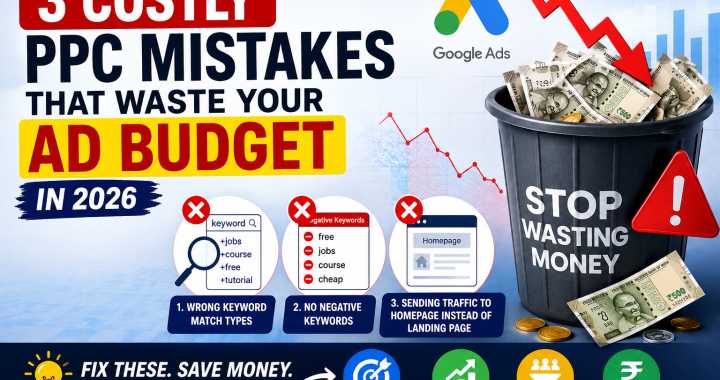
Meta Description: Discover 3 costly PPC mistakes wasting your Google Ads budget in 2026 and learn simple fixes to reduce wasted clicks, improve leads, and save money.
You’re losing ₹5000/month on Google Ads and you don’t even know it
You’re losing ₹5000/month on Google Ads and you don’t even know it.
Maybe you’re getting clicks but no customers.
Maybe your ad gets plenty of traffic, but your sales are still low.
Or perhaps you’re simply spending more every month without understanding where the money is going.
The problem may not be your budget.
It could be your setup.
Many businesses make small Google Ads mistakes that quietly drain hundreds or thousands of rupees every month. These ppc mistakes can attract the wrong visitors, increase your cost per click, and send potential customers to pages that don’t convert.
The good news? You don’t always need to increase your advertising budget to get better results.
Sometimes, you simply need to stop wasting the money you already spend.
In this guide, you’ll discover three major mistakes, exactly how to fix them, and practical ways to waste Google Ads budget less in 2026.
Why Most Beginners Waste Budget
Google Ads can be extremely effective when your campaign is properly structured.
But many advertisers make the same mistake: they launch campaigns quickly without checking where their money is going.
They choose broad keywords, don’t add negative keywords, send every visitor to their homepage, and then wonder why their leads are expensive.
The result?
More clicks. More spending. Not necessarily more customers.
The goal isn’t to get the maximum number of clicks.
The goal is to get relevant clicks that can become customers.
Let’s look at the three biggest budget killers.
Mistake 1: Wrong Keyword Match Types
One of the most expensive ppc mistakes is using the wrong keyword match types.
Keywords tell Google what searches you want your advertisements to appear for. But if you give Google too much freedom, your ads can appear for searches that aren’t useful to your business.
Imagine you sell premium website development services.
You target:
website development
Your advertisement might attract people searching for:
- Website development jobs
- Website development courses
- Free website builders
- Website development tutorials
- Website development software
These people may not want to hire your company.
You’re still paying when they click.
How to Fix It
Don’t blindly add hundreds of keywords.
Start with highly relevant searches connected to your products or services.
Review the search terms that actually triggered your ads and identify irrelevant searches.
Then adjust your keyword targeting and match types according to your campaign goals.
For competitive keywords, carefully controlled targeting can help you focus your budget on people more likely to become customers.
Simple Rule
Don’t ask, “How many clicks am I getting?”
Ask:
“Are the people clicking actually interested in buying?”
This simple change in thinking can help you lower CPC 2026 while improving traffic quality.
Mistake 2: No Negative Keywords
If you’re not using negative keywords, you may be paying for searches you never wanted.
This is one of the easiest ways to waste Google Ads budget.
Negative keywords tell Google:
“Don’t show my advertisement when someone searches for this.”
For example, imagine you’re selling professional paid SEO services.
You might not want your advertisements showing for:
- Free SEO tools
- SEO jobs
- SEO course
- SEO training
- SEO tutorial
If these searches aren’t relevant to your offer, they can consume your budget without producing useful leads.
How to Fix It
Check your search terms regularly.
Look for searches that:
- Generated clicks but weren’t relevant
- Attracted people looking for free information
- Were related to jobs or courses
- Had no connection to your actual service
- Attracted the wrong type of customer
Add suitable irrelevant terms to your negative keyword list.
Don’t blindly block words, though. A word that looks irrelevant by itself may be useful in a specific phrase.
Always consider the complete search.
Why This Matters
Negative keywords can make your traffic more focused.
That means your budget is more likely to reach people who actually need your service.
This can also help you lower CPC 2026 indirectly by improving traffic quality and campaign efficiency.
Mistake 3: Sending Traffic to Homepage Instead of Landing Page
Here’s another common problem.
Someone searches for:
“Google Ads management service”
They click your advertisement.
Instead of seeing a page specifically about Google Ads management, they land on your homepage.
Now they have to search through your website to understand what you offer.
That’s friction.
And friction can cost you leads.
How to Fix It
Create a dedicated landing page for important campaigns.
If your ad promotes:
Google Ads Management
The landing page should immediately explain:
- What your service does
- Who it’s for
- The benefits
- Why customers should trust you
- What the customer should do next
- How to contact you
The page should match the promise made in your advertisement.
For example:
Ad: “Google Ads Management for Local Businesses”
Landing Page: “Get More Local Leads With Google Ads”
That’s much more relevant than sending visitors to a general homepage.
The Simple Test
Ask yourself:
“If I were the customer, would I immediately know that I’m in the right place?”
If the answer is no, your landing page needs work.
A better landing page can help you turn the traffic you’re already paying for into more leads.
Mistake vs Fix vs Money Saved
The exact savings will vary by industry, campaign, and budget, but here’s how these problems typically affect your advertising:
| Mistake | Fix | Potential Money Saved |
|---|---|---|
| Wrong keyword match types | Refine keyword targeting and match types | ₹2,000–₹5,000/month |
| No negative keywords | Review searches and block irrelevant traffic | ₹2,000–₹6,000/month |
| Homepage instead of landing page | Create campaign-specific landing pages | ₹1,000–₹5,000/month |
| Total potential impact | Optimize all three areas | ₹5,000–₹16,000+/month |
These are illustrative ranges, not guaranteed savings. Your actual results depend on your budget, industry, competition, and campaign performance.
Real Example: Client Saved ₹12,000/Month After Fixing This
Here’s a simple example of what optimization can look like.
A client was spending approximately ₹50,000 per month on Google Ads.
The campaigns were receiving clicks, but a large amount of traffic wasn’t relevant.
After reviewing the campaign, we found three problems:
- Irrelevant search terms were triggering ads
- Negative keywords were missing
- Important traffic was being sent to the homepage
After fixing the targeting, adding negative keywords, and creating a more relevant landing page, the client reduced unnecessary spending.
Client saved ₹12,000/month after fixing this.
The important lesson isn’t that every business will save exactly ₹12,000.
The lesson is that small campaign problems can become expensive when they repeat every day.
Bonus 2 Mistakes to Avoid
The three mistakes above are major budget killers, but don’t stop there.
Bonus Mistake 1: Not Tracking Conversions
Clicks don’t pay your bills.
Customers do.
If you’re not tracking calls, forms, purchases, bookings, or other valuable actions, you won’t know whether your advertising is actually working.
A campaign with 1,000 clicks might look impressive.
But if it generates zero customers, those clicks don’t mean much.
Bonus Mistake 2: Never Reviewing Your Campaign
Google Ads isn’t a “set it and forget it” system.
Search behavior changes.
Competitors change their offers.
Costs change.
Your customers change.
Review your campaigns regularly and look for opportunities to remove waste and improve performance.
Tools to Track Waste
You don’t need dozens of expensive tools to identify wasted advertising spend.
Start with the tools already available to you.
Google Ads Search Terms
This is one of the most useful places to find irrelevant searches.
Review what people actually searched before clicking your ads.
Google Ads Conversion Tracking
Track meaningful actions such as:
- Phone calls
- Contact forms
- Purchases
- Appointment bookings
- Quote requests
Google Analytics
Use analytics to understand what happens after someone reaches your website.
Are visitors leaving immediately?
Are they visiting important pages?
Are they completing your desired action?
Spreadsheet Tracking
Even a simple spreadsheet can help you monitor:
- Monthly spending
- Clicks
- Leads
- Cost per lead
- Sales
- Revenue
You don’t need complicated software to start making smarter decisions.
How to Lower CPC and Stop Wasting Money in 2026
If you’re trying to lower CPC 2026, don’t focus only on making your bids smaller.
Look at the entire customer journey.
Better targeting → Better traffic → Better landing page → Better conversion rate → Better campaign efficiency
The cheapest click isn’t always the best click.
A ₹30 click from a potential customer can be far more valuable than a ₹10 click from someone who will never buy.
That’s why smart PPC isn’t about finding the lowest possible cost.
It’s about getting the right traffic at a profitable cost.
Conclusion
Google Ads doesn’t have to drain your bank account.
But if you’re making these ppc mistakes, your advertising budget can disappear faster than you realize.
Start by checking three areas:
1. Wrong keyword match types → Refine your targeting.
2. No negative keywords → Remove irrelevant searches.
3. Homepage traffic → Build relevant landing pages.
Then add conversion tracking, review your search terms regularly, and keep improving your campaigns.
If you want to waste Google Ads budget less, don’t immediately increase your budget.
First, fix the leaks.
Because sometimes the fastest way to get better PPC results isn’t spending more.
It’s stopping the money you’re already spending from going to waste.
Want to know where your Google Ads money is disappearing?
Comment ‘AUDIT’ and I’ll check your ad account for free